01 / SITE
Start with the customer site.
Connect a domain, read the sitemap and keep the current site context attached to every task.
Connection details →A focused workspace for finding opportunities, planning content and monitoring the search signals that matter to your business.
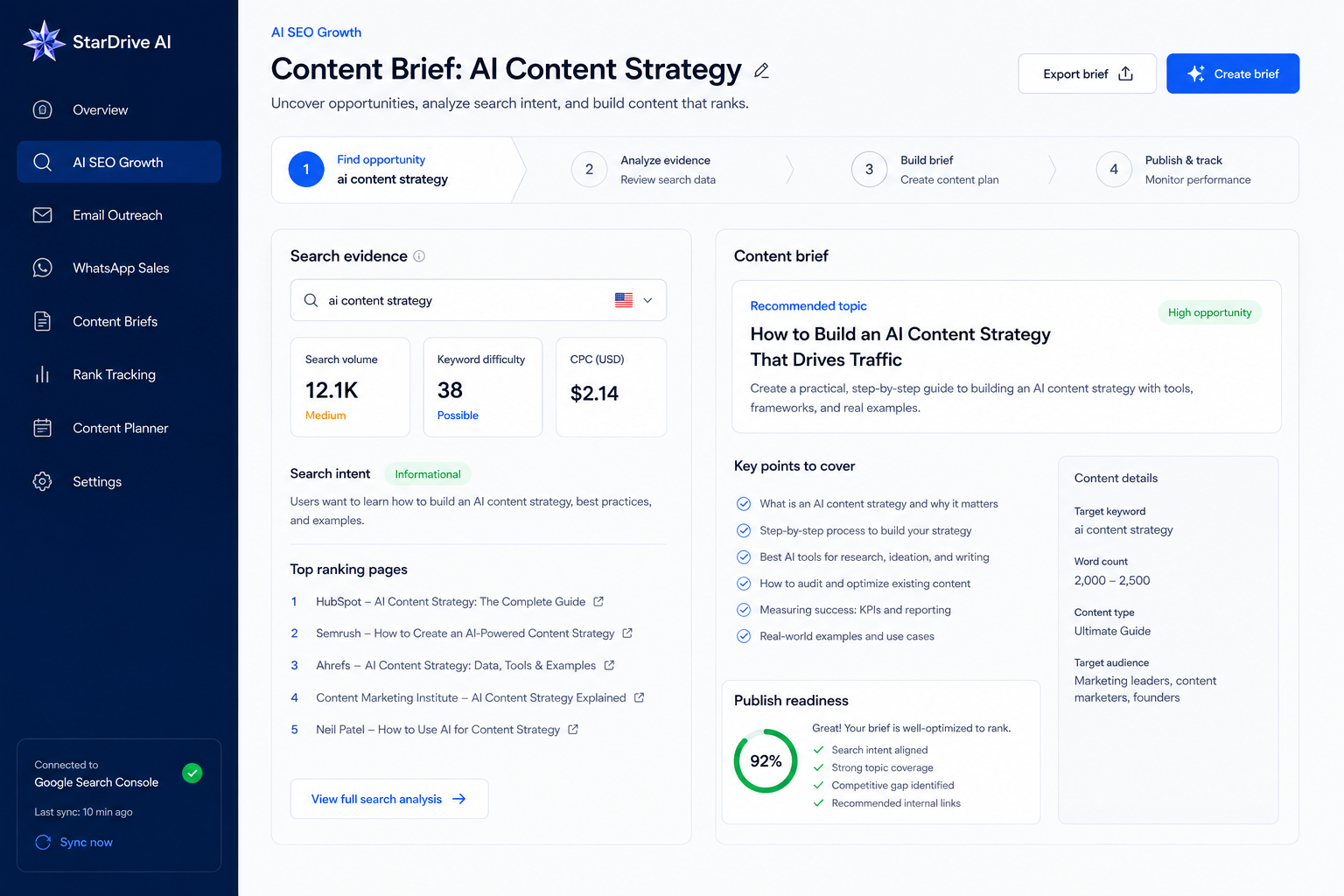
One visual connects the customer site, Search Console evidence, the brief and the publishing decision.
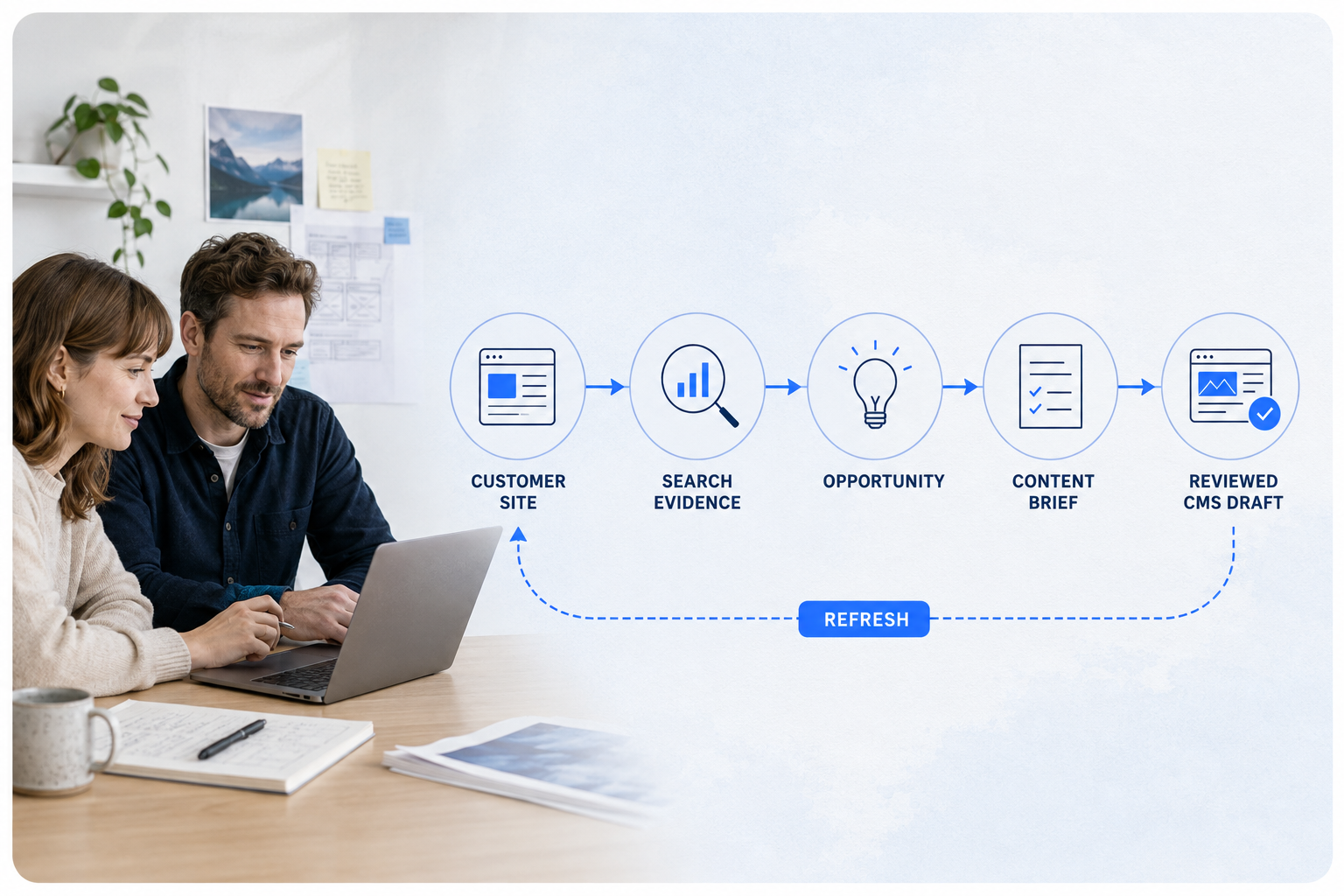
The product is not just a writer. It keeps the site, evidence, content decision, approval and post-publish learning connected.
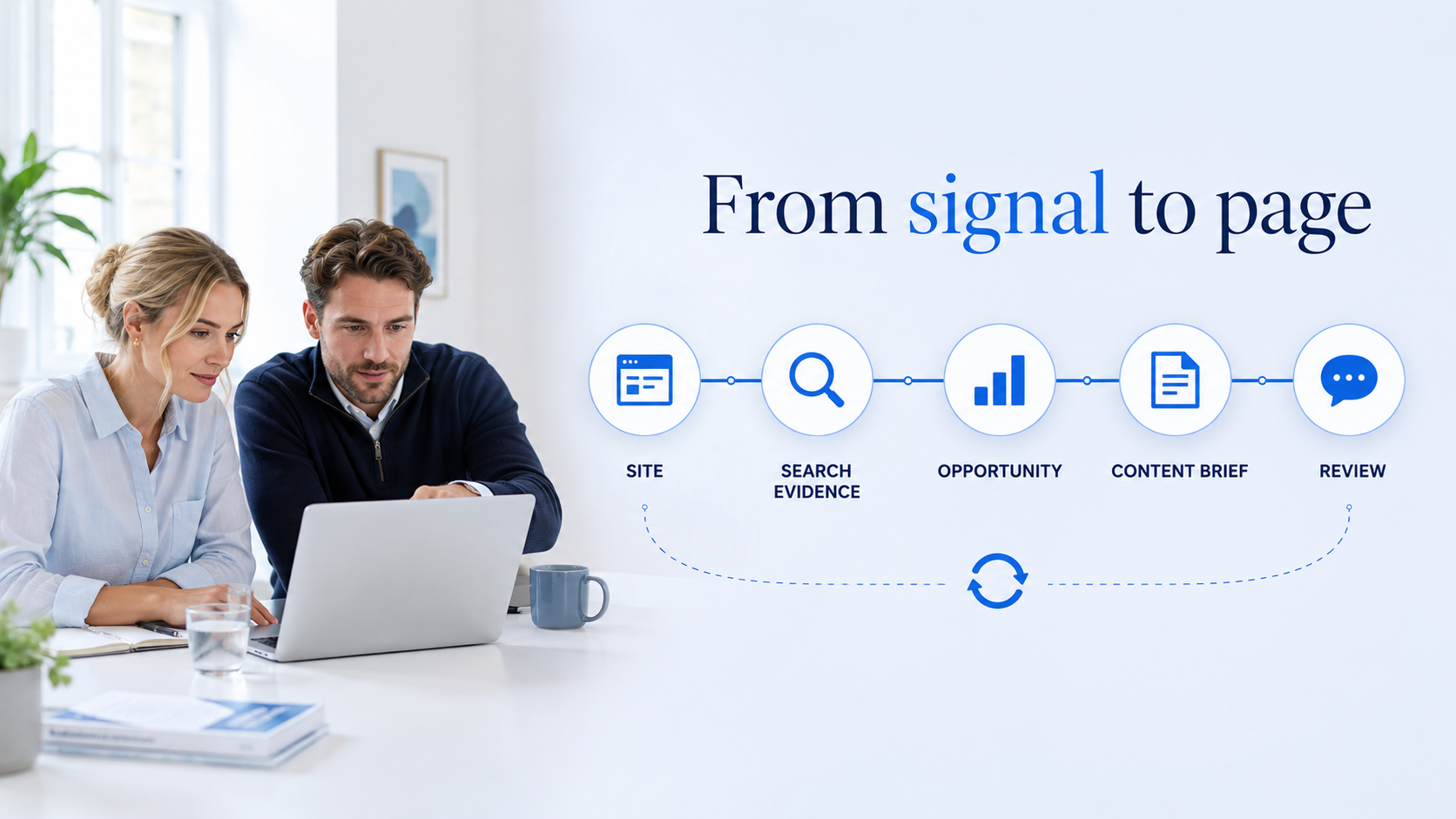
Connect a domain, read the sitemap and keep the current site context attached to every task.
Connection details →Bring together query intent, existing URLs, offers and evidence status before assigning the work.
Opportunity fields →Save the audience, angle, title, slug, meta, outline, CTA and internal-link plan as a reviewable brief.
Writer context →Run quality checks, keep version history and create a CMS draft before anything goes live.
Review boundary →The advantage is visible in the unit: more useful pages, more refresh capacity and customer-owned Search Console context without a broad-suite price.
For a team turning search evidence into reviewed briefs and CMS-ready drafts.
For teams that need regular production, refresh work and shared ownership across a small site set.
For agencies and in-house teams running a larger editorial queue with defined property and role boundaries.
Competitive position: match the strongest visible article/audit value at the entry and growth levels, while keeping GSC authorization, review and CMS-draft boundaries explicit. Final limits remain provisional until unit costs and actual API capacity are approved.
AI SEO Growth makes the opportunity explainable. A teammate can see why a topic is relevant, what page type it needs and whether the evidence is strong enough to move forward.
When reliable volume or difficulty data is unavailable, the product shows that gap instead of filling it with a guessed number.
Talk through your SEO workflow →Classify the opportunity as informational, commercial, transactional or navigational, then route it to a blog, product, category, landing or refresh page.
Decide what to buildShow the page already serving the topic, flag possible cannibalization and make the next action explicit.
Protect the siteKeep SERP results, source URLs, related questions, competitor structure and capture time close to the opportunity.
Explain the recommendationConnect the opportunity to the customer’s actual product, page goal and conversion path before a brief is created.
Make the page usefulChoose the page shape and one primary keyword. Related terms come from research, not from an invented list.
Language controls the article; market controls the search location, region and locale used for research and metadata.
Choose None, Images, Videos or Auto, then set research, external-link and internal-link rules before generation.
Review the SEO title, H1–H3 structure, CTA and link plan first, or create a draft that still enters review — never direct publish.
The writing surface brings the settings that shape a responsible page into one place. It also keeps generation state, usage and warnings visible without turning internal execution stages into a maze of screens.
Every generated version can carry SEO fields, sources, image Alt/Caption, internal links and a clear review state.
Try the entry path →The public product promise is simple. The actual workflow underneath is detailed enough for an editor, reviewer, client and operator to know what happened.
Search results, questions, URLs and capture times stay attached to the research run so the brief has a reason behind it.
Voice, audience, product facts, prohibited claims, FAQs, examples and visual references are part of the site context.
Intent, coverage, headings, metadata, internal links, Alt text, external links and sensitive claims are checked with reasons.
Saving, generating, approving and publishing create traceable versions instead of silently overwriting an approved page.
The default route writes an approved version into a CMS draft and reads back the title, URL, status and update time.
Search Console metrics can feed analytics and refresh opportunities when the connection is authorized and available.
Search Console is not a username-and-password shortcut. It is a customer-owned Google property connected through authorization and API data access.

The customer grants only the scopes needed for this product.
The customer chooses the Search Console site for this workspace.
Permitted query and page data returns to the next content decision.
AI SEO Growth keeps the publish boundary visible so a content team can move quickly without losing responsibility.

Rewrite sections, replace links, edit SEO fields, review media and resolve warnings before submission.
Comment on a paragraph, request changes or approve a version with its sources and quality checks attached.
Use the approved version, confirm the target site and read back the remote result before the next monitoring step.
The product is built for teams that want useful automation without handing an unreviewed page or an unscoped connection to a black box.
No. The customer selects the exact Search Console property and the workspace only uses the permitted connection for that site. Account identity and resource access remain separate.
No. Generation creates a reviewable version. Quality checks, approval and the CMS publishing policy decide whether it can move to a CMS draft or a later publish action.
Yes. The opportunity can carry intent, existing URL, source URLs, related questions, competitor structure and capture time so the brief is explainable.
No. It is a focused operating workspace for turning site and search signals into content work. It does not promise an invented enterprise keyword index or guaranteed rankings.
Open the unified StarDrive AI entry, or talk with us about the site, market and publishing path you need to connect.